
Configuration
Configure ExcaliDash with environment variables.
Local development
Copy the example files before starting the services:
cp backend/.env.example backend/.env
cp frontend/.env.example frontend/.env
Keep secrets in untracked .env files.
In backend/.env, replace the generated <backend> path placeholders:
DATABASE_URL=file:./dev.db
BACKUP_DIR=./backups
Docker Compose
Compose reads substitutions from your shell or a root .env file:
EXCALIDASH_TAG=latest
AUTH_MODE=local
FILE_UPLOAD_MAX_MB=100
For example, create compose.override.yml:
services:
  backend:
    environment:
      SNAPSHOT_RETENTION_DAYS: "7"
Start the services:
docker compose -f docker-compose.prod.yml -f compose.override.yml up -dWorkspace preferences
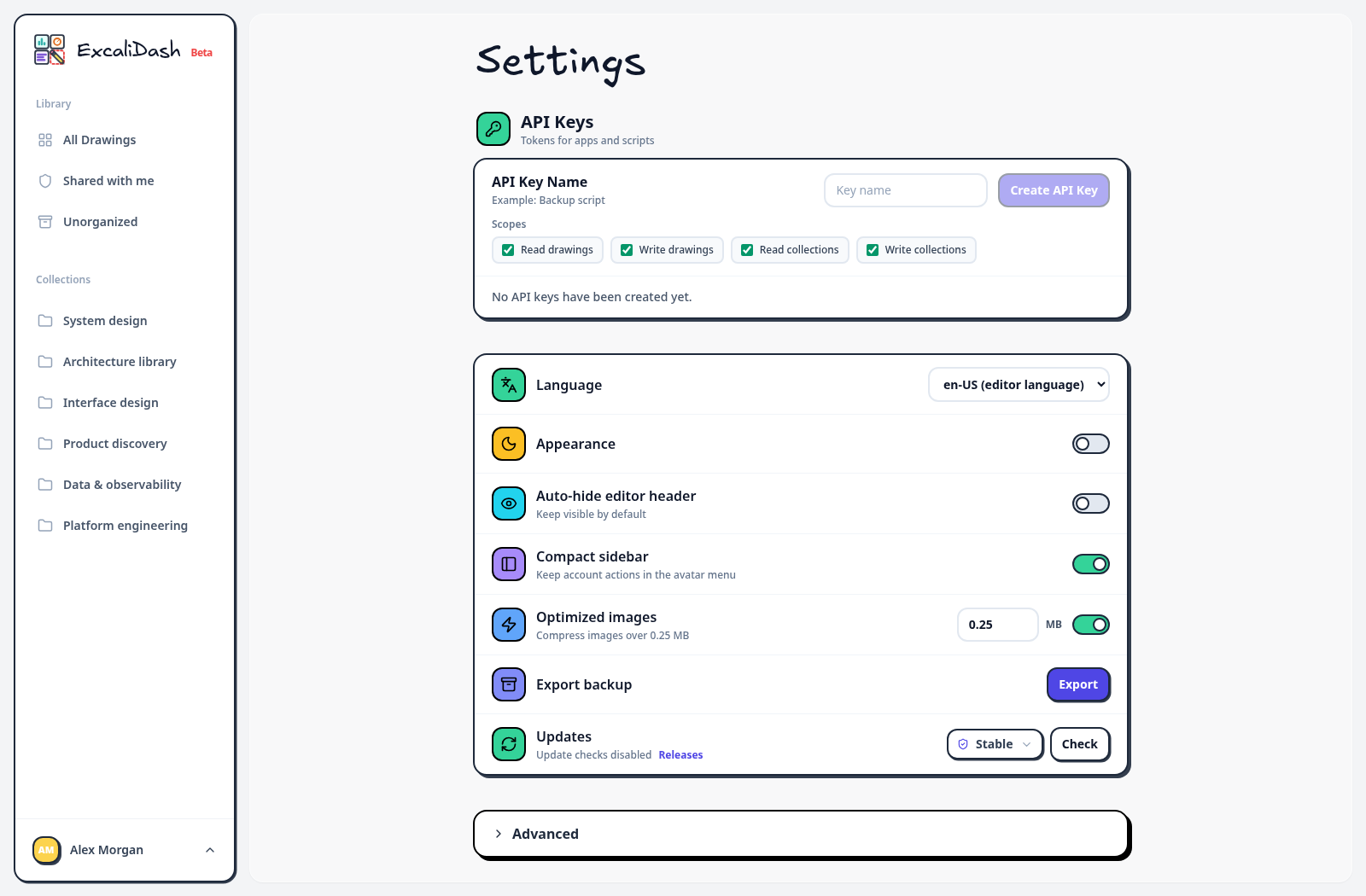
For appearance and editor preferences, open the account menu and select Settings. The controls below change workspace preferences; server environment variables are configured in the files above.
Signing secrets
The Docker entrypoint generates and persists signing secrets if you leave them unset. To manage them yourself, generate two different values:
openssl rand -hex 32
openssl rand -hex 32
Set JWT_SECRET and CSRF_SECRET in the root .env. Keep them stable across restarts and out of Git. Note that JWT_SECRET must contain at least 32 characters in production.
See the environment reference.